
Google Search Console Can Now Show How Your Social Content Performs In Search
08 MIN.

Discover the 7 best social media collaboration tools for seamless team coordination, content approval, and cross-platform scheduling in 2026.

Social media workflows shouldn’t be split across multiple platforms. Fragmented workflows kill momentum. Imagine a situation where one teammate is editing a social copy in a Google Doc, another is uploading assets to Drive, and someone else is requesting approvals in Slack. That’s how posts ship late, brand voice drifts, and great ideas get lost.
Social media collaboration tools fix that. This type of social media management tools consolidate planning, drafting, approvals, asset management, scheduling, and feedback in a single platform so teams can move quickly without stepping on each other’s toes. So to help you choose the best tools for your business, this guide will break down the 7 best social media collaboration tools.
Let’s get started.
A social media collaboration tool is a platform that enables team members to work together on social media tasks.
Instead of juggling workflows across spreadsheets, emails, and disconnected platforms, a collaboration tool provides a centralized solution where teams can co-create content, schedule posts for publishing, and monitor engagement.
The tool breaks down silos between teams and streamlines the social media marketing workflow from content ideation to publishing and reporting.
If you manage social media for a business, agency, or brand, a collaboration tool can be a game-changer. Here’s why:
Collaboration tools provide a single hub where everyone on the team can see the same content calendar and updates in real time. This will reduce miscommunication. For instance, task assignments can be tracked within the tool so each team member knows exactly who is responsible for drafting, reviewing, and approving content before it goes live.
By consolidating tasks like content creation, scheduling, and analytics into one platform, collaboration tools save time. Features such as direct scheduling to multiple platforms at once eliminate manual repetitive work.
In a collaboration tool, all edits, feedback, and approvals are logged. This provides transparency and accountability in the content creation process. It’s easy to track who made changes or approved a post, which can be helpful for auditing and during performance reviews.
Beyond collaboration, many tools also include analytics and reporting functions so teams can analyze their social media strategy and performance. Some even allow the sharing of branded reports with clients and managers.
In summary, a social media collaboration tool helps increase productivity by streamlining social media management and ensuring everyone in the team is on the same page.
Not all collaboration tools are created equal. When evaluating your options, consider the following key features:
The tool you choose should allow multiple team members to contribute. It should also support leaving comments or notes on drafts. An approval workflow is also important so that nothing is published without proper sign-off.
If you work in a team or with clients, you’ll want granular permissions. Good tools let you assign roles (like admin or editor) and set permission levels for who can create, approve, or publish content.
Having all your social messages and comments consolidated in one place will make it easier for your team to coordinate responses to followers without logging into each network separately.
If your team produces a lot of visuals, a built-in media library is handy for storing images and video content.
Robust analytics will help your team identify whether your social media marketing efforts are effective. Choose tools that provide in-depth analytics for multiple metrics and even competitor analysis. The tool should also be able to export or share reports.
Consider additional features like social listening, AI assistance (for content ideas or captions), and integration with other apps.
Iconosquare is an all-in-one social media management platform with powerful analytics and team collaboration capabilities.
The tool supports Instagram, Facebook, TikTok, LinkedIn, X (Twitter), Pinterest, Threads and YouTube. What makes Iconosquare stand out is the depth of insight it provides.
It delivers some of the most in-depth analytics on the market (over 100 metrics), presented in beautiful, customizable dashboards. These analytics can be easily auto-scheduled and exported as branded PDFs to stakeholders.
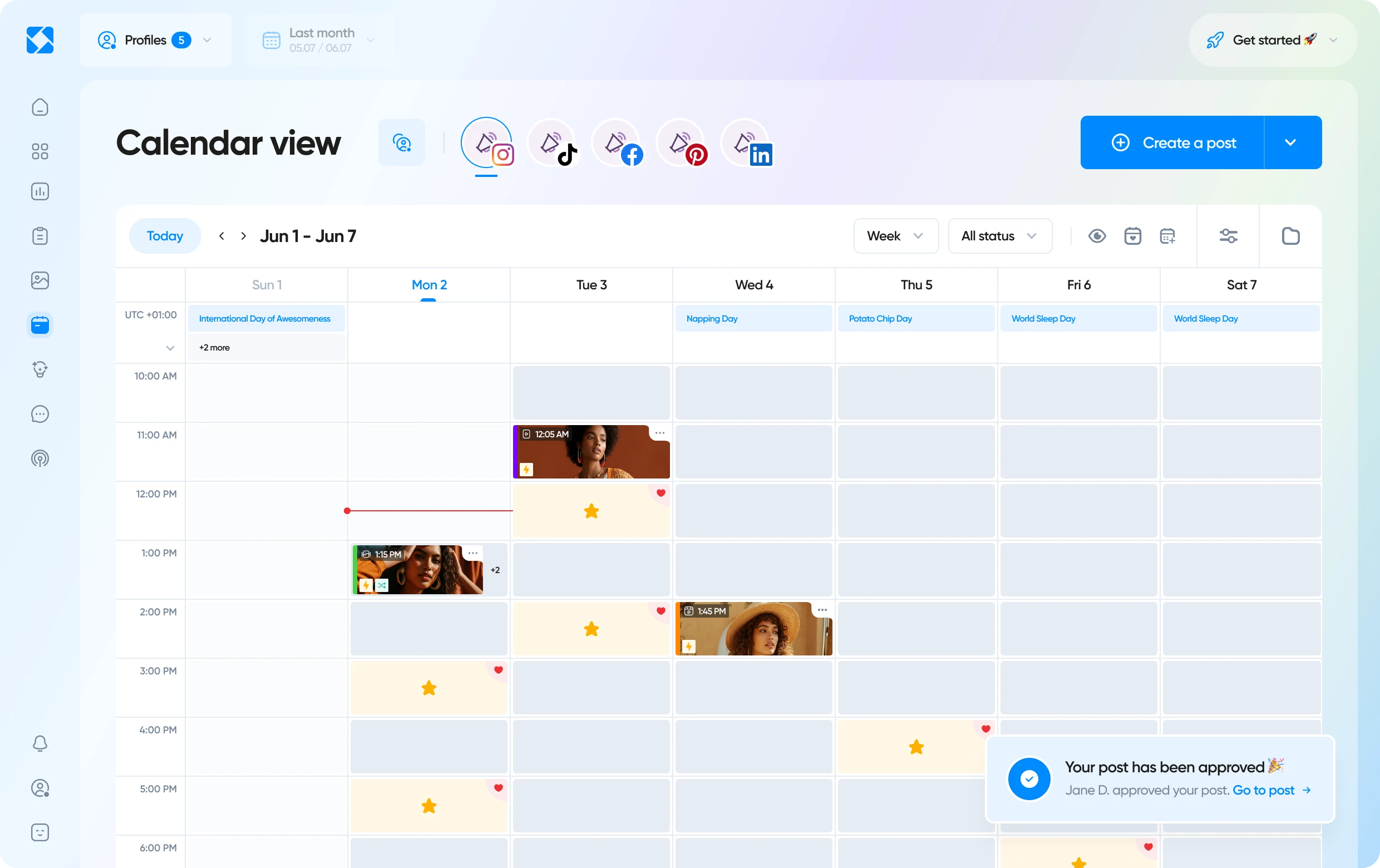
Iconosquare offers robust team collaboration capabilities designed for multi-user environments:
![Iconosquare is free for 14 days! With Iconosquare, take your social media in another level. Experience the easiest-to-use platform on the market for free ��{{ include_custom_fonts({"Gilroy":["Audacieux","Moyen","Semi-gras"]}) }}](https://hubspot-no-cache-eu1-prod.s3.amazonaws.com/cta/default/143669362/interactive-258640909509.png)
Buffer is a social media scheduling tool that supports a wide range of platforms including newer and niche ones like Mastodon and Bluesky. The platform excels with its unique pricing model, charging per-channel rather than per-user, allowing unlimited team members on all plans.
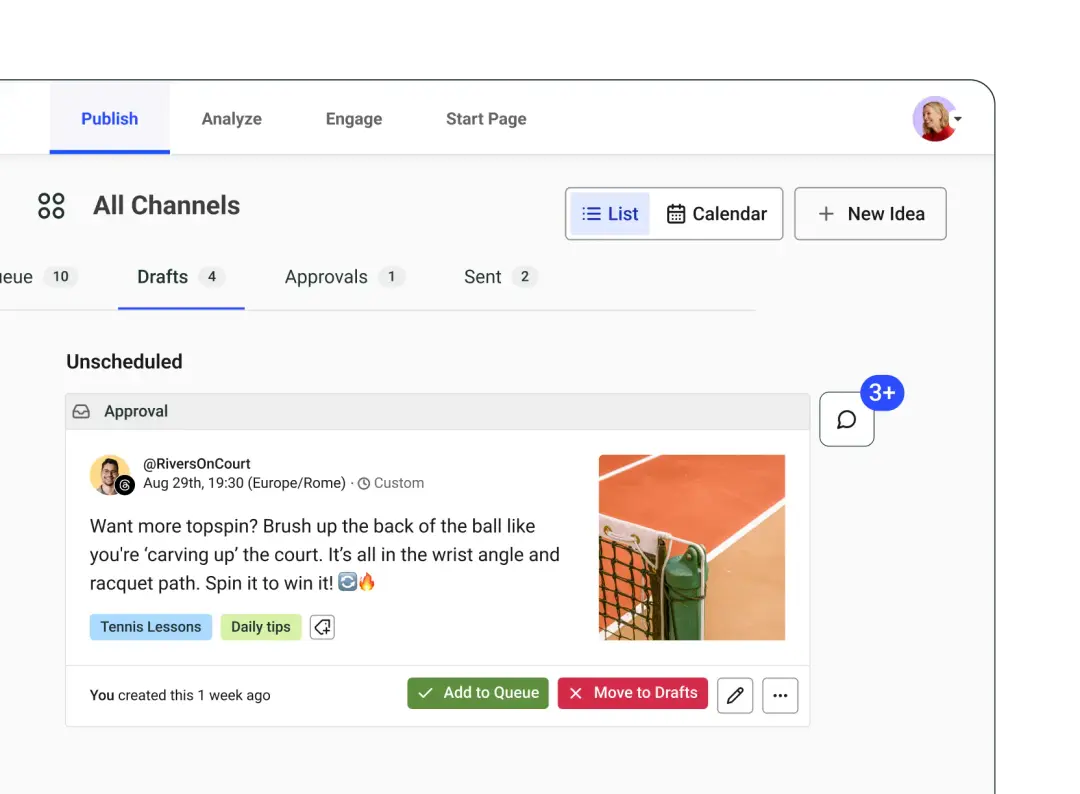
All Buffer’s collaborative features are available on the Advanced plan. In this plan, users can invite collaborators and assign the right permissions. There are also approval workflows, a shared content calendar, and users can share feedback and notes within Buffer.
The pricing can quickly skyrocket if you want to manage multiple social media channels.
💡 Read More: Iconosquare vs Buffer ultimate comparison
Loomly is a social media management platform designed for teams and agencies managing multiple brands or clients. A standout feature is the ability to create multiple content calendars, each with its own set of social accounts and team members.
Loomly doesn't provide social listening features or AI-powered content creation tools.
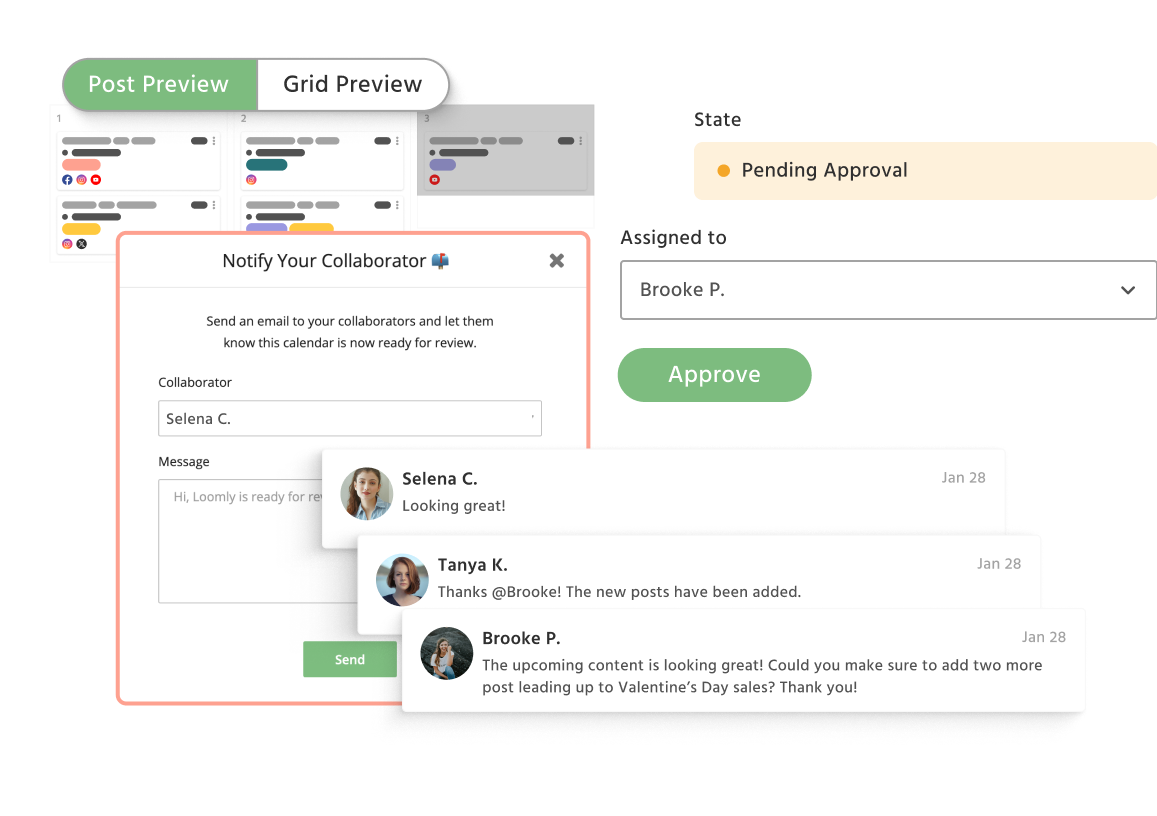
Loomly’s collaboration features include multi-level approval workflows, setting roles and permissions, updating posts from pending approval to approved status, tracking feedback, and previewing posts before they go live.
Recent significant price hikes have made higher-tier plans more costly (especially for larger teams).
💡 Read More: Iconosquare vs Loomly ultimate comparison
Sendible is a social media management tool designed for brands and agencies. It connects to all the major social media platforms except Pinterest, and you can manage them from a single dashboard. A key strength is its social inbox.
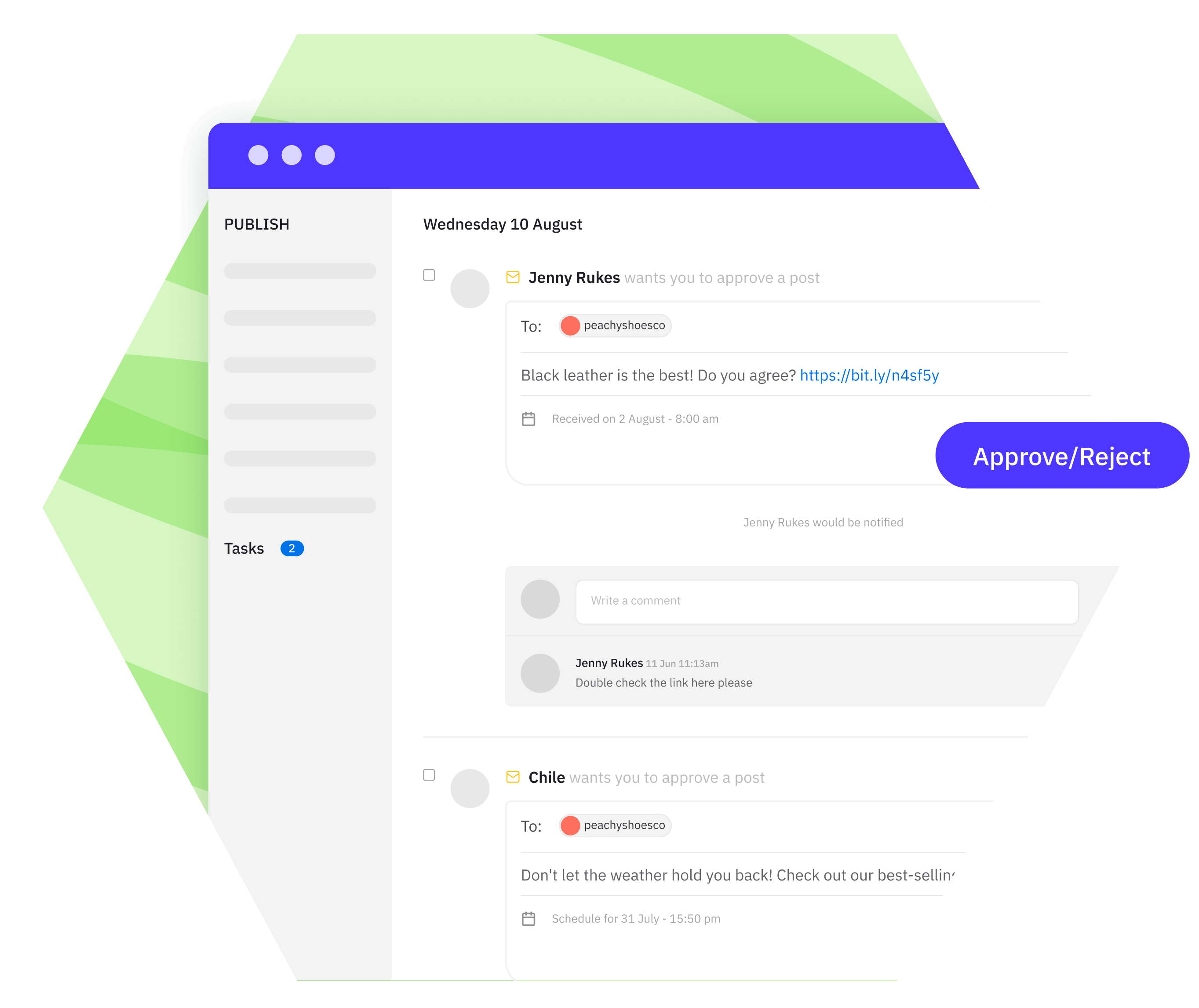
For collaboration, Sendible allows you to create separate workspaces for clients or brands, each with its own social profiles and team members. With each workspace, you have customizable user permissions and hierarchies.
Sendible supports approval workflows. You can also assign tasks to team members and track their completion. In the Report Hub, users can access all of their social data and also create reports. Branded reports are also available, but only on the advanced and enterprise plans.
Some important features are locked to higher-tier plans (e.g., the Content Library is not available on the two lowest plans).
Planable is a tool focused on content collaboration for social media teams. Users can create a workspace for each brand or client, and within that workspace, they can draft posts for multiple social channels.
Planable doesn't provide social media listening and monitoring tools.
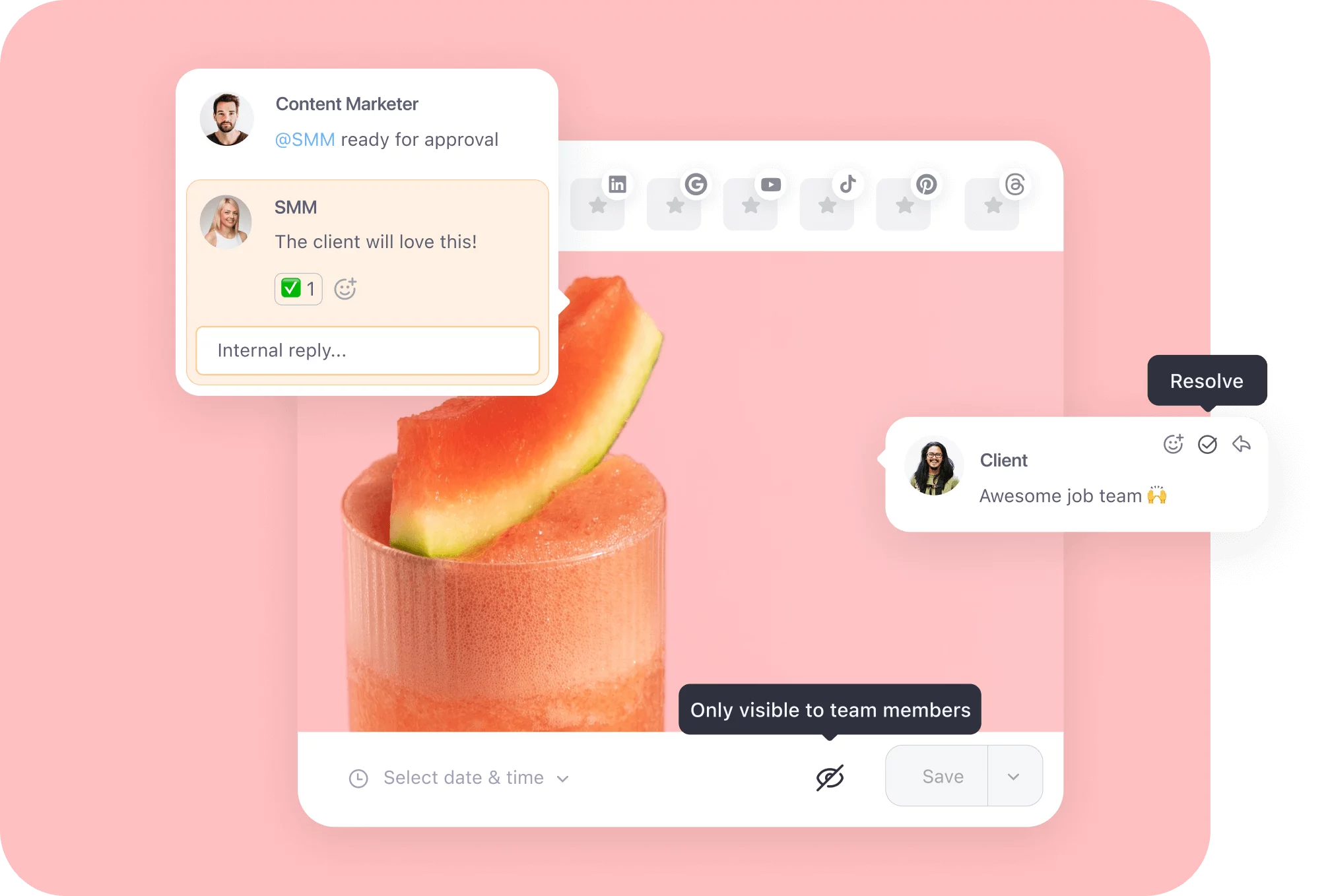
For collaboration, Planable users can set roles and permissions, give specific feedback on posts with annotations and text suggestions, and set approval flows for each client and brand. On the Custom plan, there are multi-level approvals (e.g., first the content creator approves, then the manager, then the clients, and finally legal approves). Another feature Planable offers is that you can keep posts hidden from clients until the content is ready.
Planable’s pricing is based on workspaces. Each workspace is basically a social media calendar for one brand. You will also pay for add-ons for each workspace (Analytics is $9/workspace/month, Engagement is $5/workspace/month)
Kontentino is a social media management tool powered by AI. The AI assistant covers the full content workflow, from creation to reporting.
Kontentino doesn't provide an unified social inbox as it's more focused on content planning than on engagement reply management.
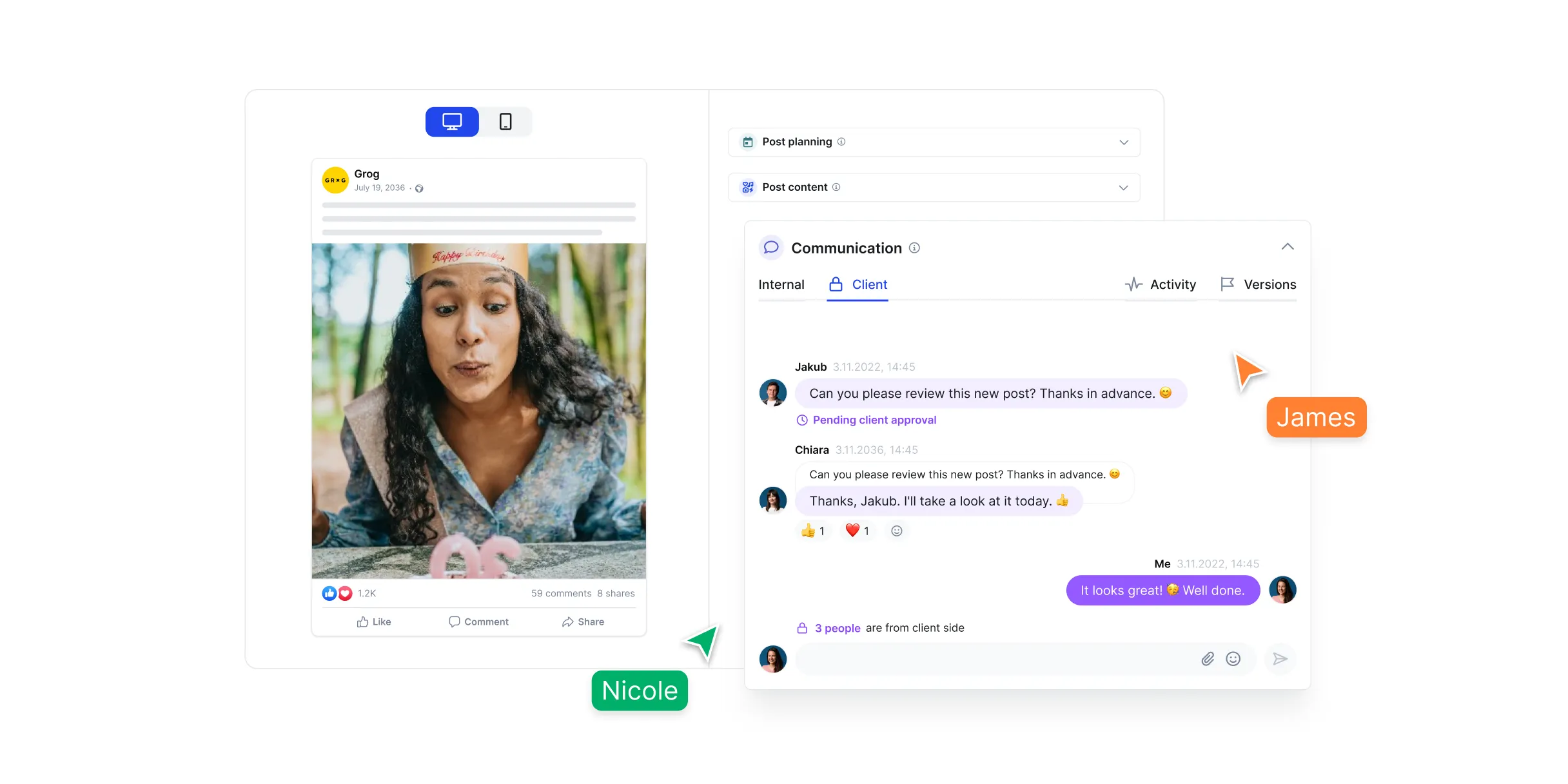
The collaboration features in Kontentino include Team Chat (where team members and clients discuss a post before it goes live), Task Assignment, an Approval tool (where users can leave notes and rework posts), and an Activity Log that keeps users in the loop of any changes made to a post. Once ready, posts can be marked approved and scheduled for publishing. If you work with a Global team, posts can also be localized into multiple languages. The content can be published across multiple profiles simultaneously.
NapoleonCat is a tool that focuses on helping businesses engage and support customers on social media. The Social Inbox allows businesses to consolidate all incoming messages, comments, and reviews from different platforms. Team members can use this inbox to respond quickly to customers.
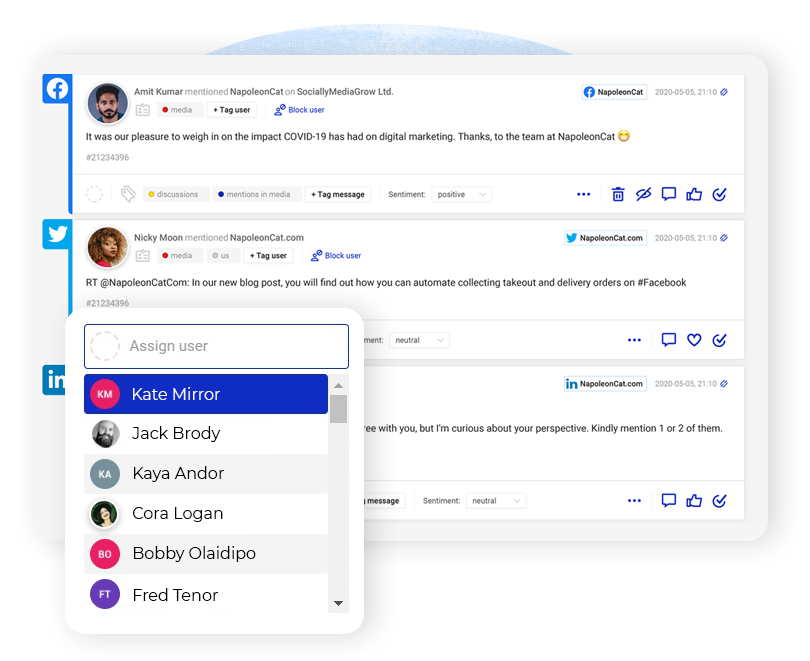
For collaboration, teams can create dedicated workspaces to organize their work and also assign tasks or email tickets among team members directly in NapoleonCat. You can also track what each team member is doing in real-time to avoid duplicate work.
With so many great tools available, how do you decide which social media collaboration platform fits your needs? Here are some tips:
Make a list of what’s most important to your workflow. For example, if you need top-notch analytics to measure campaign success, Iconosquare will be the perfect social media collaboration tool for your business, as it measures over 100 metrics.
The right tool can depend on whether you’re a solo manager, a small business, or a large agency with big social media needs for your clients. Larger teams or agencies handling many accounts will benefit from tools that allow multiple workspaces, unlimited users, and advanced permissions. But be mindful of how pricing scales with users or profiles. Some tools offer unlimited users on certain plans, whereas others charge per user.
Almost all of these tools offer free trials or free plans. Take advantage of them. Simulate your workflow during the trial. You should create content, invite team members to collaborate, test scheduling on each platform, generate a report, etc. This hands-on approach will quickly show you if the UI feels comfortable and if it meets your expectations.
Think about your current toolkit. Do you use other software that could integrate? For example, Iconosquare Integrates with Zapier and Adobe Express, while NapoleonCat, Kontentino, and Sendible do not.
When managing critical social media operations, having good support is valuable. Check if the tool offers chat support, a help center, or even a dedicated account manager on higher plans. Iconosquare, for instance, provides a dedicated customer success manager on its Excel and Custom plan.
Choose a tool not just for the team you have today, but the team or scope you might have a year from now. If you aim to expand clients or social channels, ensure your tool can scale affordably. It can be expensive to switch tools often. For example, you might start using Buffer for a few channels but find it pricier as you add many more.
The best social media collaboration tool for you is the one that aligns with your collaboration workflow, supports the platforms you care about, fits your team size, and provides good value within your budget. All the tools listed here are reputable. It’s more a matter of finding the right fit.
If you are looking for a tool that offers collaboration, analytics, as well as competitive benchmarking, Iconosquare is the right tool for you. Start your 14-day trial.

Freelance B2B and SaaS content marketer specializing in social media marketing. Featured in Social Media Examiner, VWO, GetResponse, Mention, WordStream, and AdRoll, Marvellous writes long-form guides on social media strategy and community growth; helping SMMs, agencies, and brands build strong audiences and drive real results across every platform.
With Iconosquare, take your social media in another level. Experience the easiest-to-use platform on the market for free 💙