





Process and organization
Why use a social media management tool in 2026?
Is a SMM tool worth it? Discover why use a social media management tool to manage multiple social media profiles, and when it becomes essential to have one.

Table of content
Managing social media today is nothing like it was a few years ago. Audiences are active on multiple social media platforms, expect real time replies, and want content that feels relevant and personal.
The average person now uses around seven social media platforms per month, which dramatically increases the complexity for brands and agencies trying to keep up. More and more teams are realizing that working natively across each app is not sustainable for managing social media at scale.
This article explains why to use a social media management tool, who it is for, and what concrete benefits it brings to your daily work as a social media manager or community manager. It will also help you answer a key question many teams ask: “Is a SMM tool worth it?”
What is a social media management tool?
Let's go back to basics. A social media management tool is a centralized workspace where you can:
- Plan, schedule, and publish social media posts across multiple social media platforms
- Monitor your conversations (comments, mentions, and DMs) from a single dashboard
- Track your analytics and build reports
- Collaborate on socials with teammates, clients, or stakeholders through clear approval workflows
- Listen to your market and monitor brand or competitor mentions
- Use AI features to ideate, write, or optimize content
Instead of logging into each app separately (Instagram, Facebook, TikTok, LinkedIn, X, etc.), you use one platform to manage multiple social media accounts and all your social media activities.
Tools like Iconosquare, Hootsuite, Sprout Social, Buffer, Later, and others package these capabilities with different levels of depth depending on the audience they serve (freelancers, brands, agencies, small businesses, enterprises).
Why use a social media management tool instead of native apps?
Managing your presence directly in each platform can work for a while. But as soon as you start managing multiple accounts, collaborate with others, or report seriously on performance, native apps start to show their limits.
Here is a high-level comparison.
Managing social media with vs. without a tool
In short: a social media management tool like Iconosquare replaces a patchwork of spreadsheets, screenshots, and manual checks with one organized system, freeing you to focus on strategy and creative work instead of low-value admin.
What are the main benefits of using a social media management tool?
1. Save hours every week with scheduling and automation
Planning and publishing on social media is one of the most time-consuming parts of managing social media.
When every post must be manually copied and pasted into each app at the “right” time, the workload quickly becomes overwhelming, especially if you manage multiple social media profiles or brands.
A social media scheduler within your platform helps you:
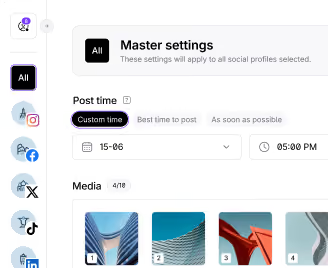
- Batch and schedule posts in advance days or weeks ahead
- Repurpose content across channels while adapting formats and captions
- Use queues and bulk upload for campaigns and evergreen content
- Automate routine tasks, like reposting best performers or publishing recurring series
These capabilities save time without sacrificing quality. The goal is not to “set and forget”, but to move away from last-minute posting so you can focus on higher-value work: strategy, creative quality, and testing new formats.
2. Keep your brand consistent across platforms and markets
Consistency is critical for building brand trust. But it is hard to stay consistently on-brand and on-message when content is scattered across notes, emails, and individual platform drafts.
With a social media management tool, you can:
- Use a visual content calendar to see all posts across profiles and markets
- Align campaigns across channels (e.g. product launch, seasonal campaigns)
- Reuse templates, brand kits, and saved hashtags
- Ensure posts go out at the right time, even across time zones
This is particularly important for multi-location brands and franchises and agencies managing social profiles for multiple clients.
A central calendar and shared assets keep your presence coherent, ensuring your social media strategy translates into consistent execution everywhere.
3. Make data-driven decisions with analytics and reporting
Native analytics give only a partial, siloed picture. That makes it hard to answer strategic questions like:
- Which network actually drives the best engagement or traffic?
- What content formats perform best by objective (reach, clicks, saves, conversions)?
- How did our campaign perform across all channels combined?
Social media management tools solve this by offering:
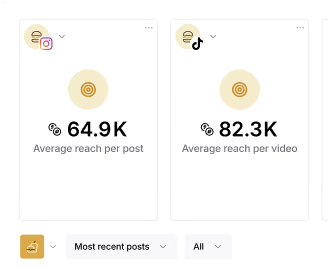
- Cross-platform dashboards for tracking performance in one place
- Post, profile, campaign, and account-level analytics and reporting
- Historical trends and benchmarks for better decision-making
- Exportable reports for stakeholders and clients
The level of visibility offered by social media analytics tools is essential when social media budgets are under scrutiny and you need to justify resources with clear data.
4. Improve collaboration with your team, clients, or stakeholders
As soon as social is more than a one-person show, coordination becomes a challenge. Content ideas, assets, feedback, and approvals can get lost in emails, chats, or separate tools.
Social media collaboration tools centralizes:
- Roles and permissions for social media managers, copywriters, designers, clients, and leadership
- Custom approval workflows so posts do not go live without the right checks
- Internal comments on specific posts for feedback and discussion
- Activity logs to understand who did what and when
This is particularly valuable for agencies, in-house teams working with external freelancers, and regulated industries that need thorough review and compliance.
5. Never miss a comment or message with a unified social inbox
Customers increasingly expect quick, often real time replies on social media, sometimes faster than via email or phone. At the same time, message volume keeps growing as networks become primary customer service channels.
A social media management tool helps you:
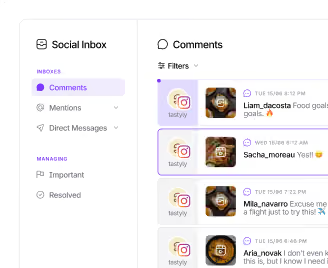
- Centralize comments, mentions, and DMs from multiple social media platforms
- Prioritize important or urgent interactions
- Use saved replies for common questions
- Assign conversations to teammates and track status
- Respond faster, even at scale
For brands with high inbound volume, this is a game-changer. It improves customer satisfaction and loyalty, brand perception, and the ability to turn questions into sales or upsell opportunities.
6. Protect your brand with social listening and monitoring
Social media listening is no longer a “nice to have.” Conversations about your brand and industry happen constantly, whether your profiles are tagged or not.
Social media management tools often include listening features that allow you to:
- Track brand mentions, even without direct tags
- Monitor industry keywords and hashtags
- Keep an eye on competitor activities
- Spot emerging trends or crises early
This is key for:
- Reputation management
- Campaign and content ideation
- Product feedback and customer insight
- Crisis detection and response
Instead of reacting too late, you can proactively manage your brand’s narrative and integrate those insights back into your social media strategy.
7. Prove ROI and connect social to business outcomes
Leadership teams increasingly want to see how social media impacts real business metrics.
Social media management platforms help by:
- Tagging and grouping posts into campaigns and reporting at campaign level
- Showing how paid and organic content work together
- Making it easier to present performance in clear, visual reports for stakeholders
This allows you to:
- Argue for more budget or resources based on results
- Double down on formats, networks, and campaigns that truly work
- Align social strategy with broader marketing and business goals
8. Scale your social media presence as you grow
As your brand or agency grows, you add new profiles, expand to new platforms, and handle more content and campaigns.
Doing all this manually is risky and error-prone. Social media management software is designed to scale with you:
- Add new profiles and users without rebuilding your systems
- Standardize workflows and best practices across teams
- Use templates, content libraries, AI, and automated post schedules to keep up with demand
This is why many fast-growing brands invest in professional tools early, they become part of the operational backbone of the marketing team.
Who should use a social media management tool?
Almost any organization active on social media can benefit, but the use cases differ.
Use cases and relevant features
If your daily work touches any of the pain points above, a social media management platform is likely to deliver significant value, even more so if you are already managing multiple accounts across different regions or business units.
How do you know it’s time to invest in a social media management platform?
Still unsure whether you’re ready for a tool? Here are some signs.
You probably need a social media management tool if:
- You manage 3+ social media profiles or brands
- Posting manually feels chaotic and reactive rather than strategic
- You regularly miss comments or DMs
- Reporting to your manager or clients is painful and time-consuming
- Multiple people touch social content and approvals are messy
- You’re expanding to new markets, products, or channels
- You feel you spend more time on copy-paste and admin than on creative work
When these signals appear, the question is less “Should we use a tool?” and more “Is a SMM tool worth it for where we are now?” In most cases, the time saved on execution and the improved insight into results more than justify the investment, especially compared to the cost of lost opportunities and inefficient workflows.
Most platforms offer a free trial, which makes it easier to test how well a specific solution fits your workflows before you fully commit. This is the case with our social media management tool, Iconosquare. You can create your free account right away, no credit card needed!
![Iconosquare is free for 14 days! With Iconosquare, take your social media in another level. Experience the easiest-to-use platform on the market for free ��{{ include_custom_fonts({"Gilroy":["Audacieux","Moyen","Semi-gras"]}) }}](https://hubspot-no-cache-eu1-prod.s3.amazonaws.com/cta/default/143669362/interactive-258640909509.png)
Why use a social media management tool in 2026?
Using a social media management tool is no longer just about convenience; it is about being able to manage complexity, prove value, and scale your efforts sustainably.
Once this foundation is clear, the next logical steps are to:
- Clarify your needs and priorities (features, budget, team size, industry).
- Learn how to choose a social media management tool based on those needs.
- Explore a curated list of the best social media management tools, ideally starting with a free trial to see how each platform fits your workflows.
Taken together, these three pieces—the why, the how to choose, and the what to pick—give social media and community managers a complete roadmap for building a modern, efficient, and impactful stack for managing social media at scale.
%201.svg)

%201.svg)
%201.svg)